Click here to download it from the App Store.


Features:
* Post or respond from within the popup
* Desktop Notifications
* Notification sounds
* Switch between multiple Google accounts
Click here to get Surplus from the Chrome Web Store

Adds extra functionality to Google Plus. Currently just a reply button for each comment and a "Reply to Author" for each post.

It'll ask you for access to a few Google sites (this is required because this modifies content on any page that contains Google+ elements). Make sure you refresh any Google+ windows that you had open before installing.

Recent changes:
  - 1.8: Add de translation
  - 1.7: Add zh_CN and zh_TW translations
  - 1.6: Workaround for the notifications menu sized wrong when scrolled down the page
  - 1.5: Reduce CPU usage on Google+ pages
  - 1.4: Translations for Pусский and Nederlands users
  - 1.3: Fix for non-english users
  - Some bugfixes that make buttons more reliable
  - Added a settings page to toggle each feature on and off
  - Added favicon notification
  - Added ctrl+enter shortcut to submit a post (was slightly busted in 1.1)
  - Added code to make the header back sticky (floats down the page as you scroll)
Click here to get Replies and more for Google+ from the Chrome Web Store

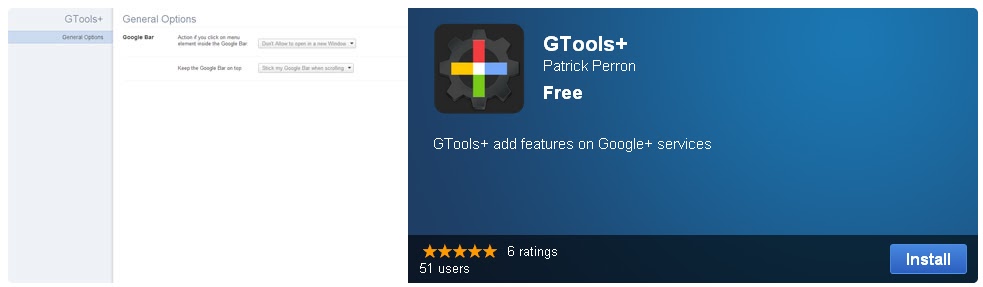
This extension adds functionality to Google services. Here is the list of features that allows the extension:

- Stick the Google+ bar always on top when you scrolling
- Prevent open in new tab or window when you click on link inside the Google+ bar
- Change the position of the chat for put in the Google+ Bar
- Change the color of the notification bubble in the Google+ bar
- Right click on the extension icon for go to the options page fastest

vesion 0.1.5.0
- Google Chat is changed for a button in the Google Bar, before the name
- Icon is added for go to option more fastest, right-click for see options link.
- New icon for the extension

version 0.1.4.0
- You can change the Google Chat position to the right column

version 0.1.3.0
- Change the color of the notification bubble. May people don't like the red and other dont want to see, If you want remove, set the notification color to gray or black.

version 0.1.2.0
- Remove the opening in a new page when you click in the new Google+ bar (work on Google+)
- Also stick the Google bar at the top of the page. This feature is very useful especially when you scroll the page on Google+
Click here to get GTools+ from the Chrome Web Store


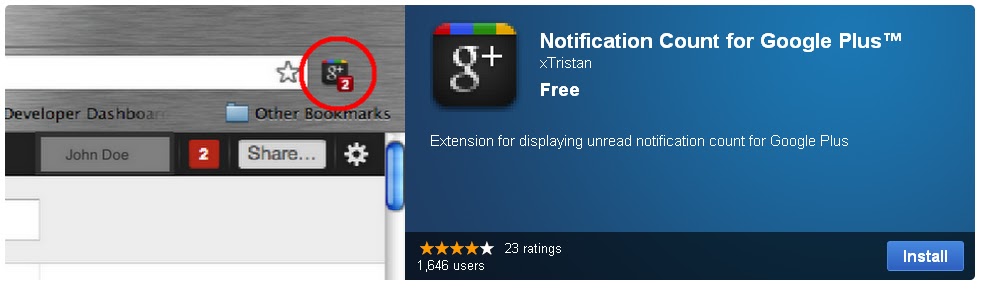
If you want to be aware of who are talking to you or mentioning you in their conversation on Google Plus, but don't wish to have a web page consistently opened for Google Plus or Gmail, then you should try this.
Existing Features:

+ Checks for any unread notifications of your Google Plus every minute, and displays unread notification count on your browser extension toolbar.

+ Click to open a tab to read all notifications.
Click here to get Notification Count For Google Plus from the Chrome Web Store

 What it really does, is it loads a mobile version of Google+, you still can't register, so it's quite pointless. It asks you to log-in with your Google account, I assume it's safe because it's part of google.com.


 Say goodbye to the Picasa and Blogger names: Google intends to retire several non-Google name brands and rename them as Google products.
 Skype through Facebook will provide the same video-chat functionality as the familiar program without requiring an external download. All you'll need to utilize Skype is a plug-in, which you'll be prompted to download whenever someone tries to video chat with you. Facebook's video chat system supports one-on-one conversations only, but Zuckerberg told us that we shouldn't rule out group video chats just yet--especially since he's planning to implement group Facebook chats (in the traditional text-based format) sometime in the near future. There's also a redesign apparently on the horizon, but Zuckerberg didn't give a timeframe or share any further details on that subject.




 Everyone with an iPhone is desperate to get their hands on the Google+ iPhone App.


