
Showing posts with label Tools and Extensions. Show all posts
Showing posts with label Tools and Extensions. Show all posts
10/3/11

9/13/11
G+7: Free Google Plus Desktop Gadget For Windows 7
G+7 is a free google plus gadget for windows 7 which displays your google plus streams and updates on your desktop.With G+7 you can only view your stream there is no option to update your status.you can adjust the size of the gadget by selecting predefined sizes.when you click any feed you will get detailed view of that post.
Click here to download G+7

Click here to download G+7
8/17/11
Google Plus Directory - Chrome Extension

Find your + is a Google Plus person directory, where you can meet new people, start making new friend circles, chose from over 1.300.000 Google Plus profiles.

Features:

Search in our Google+ Directory by letters.
Search by City (US) or by World's Capitals.
Search by ocuppation.
See the user avatar, description, introduction, followers and following.
See the user activity, like the stream posts.
Find random people from around the world.
Find people using the search input, by G+ id, first name or last name.
Click here to get Google Plus Directory from the Chrome Web Store.


8/15/11
-1 Minus One Button - Chrome Extension

Click here for -1 Minus One.

7/9/11
See your Facebook Stream Inside Google+
Google+Facebook allows you to see your Facebook stream inside Google+.
Simply Connect to Facebook, and get all the updates on your Google+ Facebook tab.
Click here for Google+Facebook
Simply Connect to Facebook, and get all the updates on your Google+ Facebook tab.
Click here for Google+Facebook
7/7/11
Surplus - chrome extension
Google Plus Integration for Chrome.

Features:
* Post or respond from within the popup
* Desktop Notifications
* Notification sounds
* Switch between multiple Google accounts
Click here to get Surplus from the Chrome Web Store

Replies and more for Google+ - chrome extension
Adds extra functionality to Google Plus. Currently just a reply button for each comment and a "Reply to Author" for each post.

It'll ask you for access to a few Google sites (this is required because this modifies content on any page that contains Google+ elements). Make sure you refresh any Google+ windows that you had open before installing.

Recent changes:
  - 1.8: Add de translation
  - 1.7: Add zh_CN and zh_TW translations
  - 1.6: Workaround for the notifications menu sized wrong when scrolled down the page
  - 1.5: Reduce CPU usage on Google+ pages
  - 1.4: Translations for Pусский and Nederlands users
  - 1.3: Fix for non-english users
  - Some bugfixes that make buttons more reliable
  - Added a settings page to toggle each feature on and off
  - Added favicon notification
  - Added ctrl+enter shortcut to submit a post (was slightly busted in 1.1)
  - Added code to make the header back sticky (floats down the page as you scroll)
Click here to get Replies and more for Google+ from the Chrome Web Store

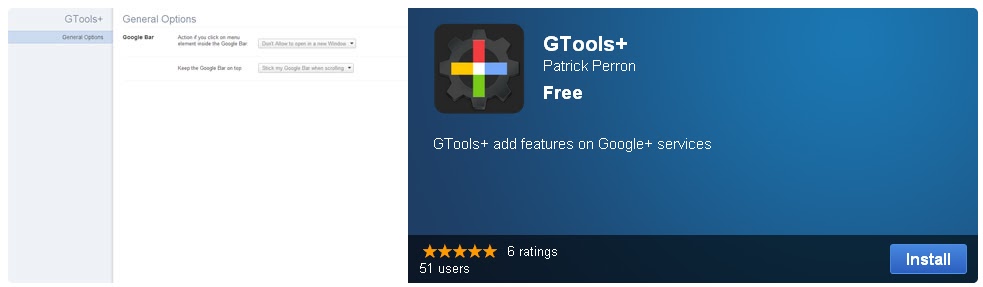
GTools+ - Chrome Extension
This extension adds functionality to Google services. Here is the list of features that allows the extension:

- Stick the Google+ bar always on top when you scrolling
- Prevent open in new tab or window when you click on link inside the Google+ bar
- Change the position of the chat for put in the Google+ Bar
- Change the color of the notification bubble in the Google+ bar
- Right click on the extension icon for go to the options page fastest

vesion 0.1.5.0
- Google Chat is changed for a button in the Google Bar, before the name
- Icon is added for go to option more fastest, right-click for see options link.
- New icon for the extension

version 0.1.4.0
- You can change the Google Chat position to the right column

version 0.1.3.0
- Change the color of the notification bubble. May people don't like the red and other dont want to see, If you want remove, set the notification color to gray or black.

version 0.1.2.0
- Remove the opening in a new page when you click in the new Google+ bar (work on Google+)
- Also stick the Google bar at the top of the page. This feature is very useful especially when you scroll the page on Google+
Click here to get GTools+ from the Chrome Web Store
Hide Google+ Notification - Chrome Extension
Simple extension to hide the little red Google Plus notification from the global google header toolbar.
Click here to get Hide Google+ Notification from the Chrome Web Store

Click here to get Hide Google+ Notification from the Chrome Web Store

Facebook skins for Google+ Chrome extension
This makes Google+ look like Facebook, you can also share posts from Google+ to Facebook and Twitter.
Click here to get Facebook skins for Google+ from the Chrome Web Store

Click here to get Facebook skins for Google+ from the Chrome Web Store

Google CSS Tricks Chrome Extension
This extension "slightly changes the interface of Google to maximizes space & provide the most appropriate usability."
Click here to get Google CSS tricks from the Chrome Web Store

Click here to get Google CSS tricks from the Chrome Web Store

Color Plus - replace any Google Plus bar with a more colorful alternative
Color Plus is a Chrome extension that lets you change the color of the Google Plus bar because the gray is utterly boring. The default color is green, but you can find more alternative styles here:
http://www.rioleo.org/google-plus-bar-color-changer-extension.php
Click here to get Color Plus from the Chrome Web Store

http://www.rioleo.org/google-plus-bar-color-changer-extension.php
Click here to get Color Plus from the Chrome Web Store

Facebook like for Google+
I don't really know what this is, i didn't have a proper look at it. The description was in chinese, so I translated it and this is what I've got:
"Facebook more praise by praise? Painless transfer of Google plus, the future of this product will continue to introduce more painless transfer function. Also welcome suggestions for google plus more fun."
So, check it out if you want, and if you know any more about it, please comment below!
Click here to get Facebook Like for Google plus from the Chrome Web Store

"Facebook more praise by praise? Painless transfer of Google plus, the future of this product will continue to introduce more painless transfer function. Also welcome suggestions for google plus more fun."
So, check it out if you want, and if you know any more about it, please comment below!
Click here to get Facebook Like for Google plus from the Chrome Web Store

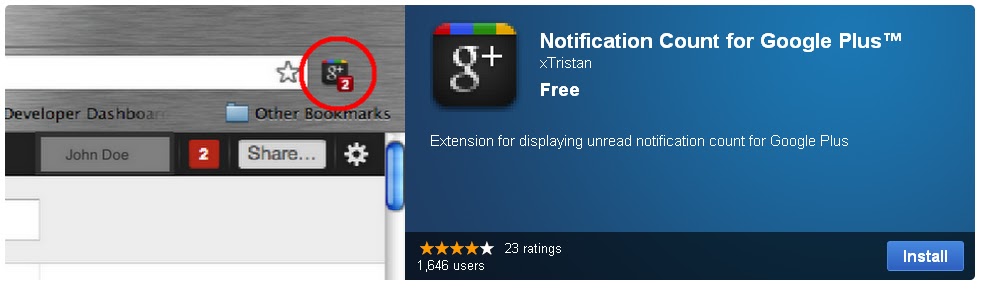
Notification Count for Google+ Chrome Extension
If you want to be aware of who are talking to you or mentioning you in their conversation on Google Plus, but don't wish to have a web page consistently opened for Google Plus or Gmail, then you should try this.
Existing Features:

+ Checks for any unread notifications of your Google Plus every minute, and displays unread notification count on your browser extension toolbar.

+ Click to open a tab to read all notifications.
Click here to get Notification Count For Google Plus from the Chrome Web Store
Google+ Lite Chrome Web Store

 What it really does, is it loads a mobile version of Google+, you still can't register, so it's quite pointless. It asks you to log-in with your Google account, I assume it's safe because it's part of google.com.
Click here to get Google Plus Lite from the Chrome Web Store
This is what it brings up if you sign in:

Click image to enlarge
Google+ Photo Zoom Extension For Chrome
One interesting application is the Google+ Photo Zoom extension for the Chrome browser. It basically enables larger image previews on Google+ streams.
Images are posted in fixed size to Google+ streams. Users need to click on the images to open the photo browser to see a larger version of the image in the browser.
That’s not super handy if you like to view images in their original resolution and not as detail reduced thumbnails.
Photo Zoom enables zooming on mouse over. All you need to do is move your mouse cursor over an image in a stream to get a larger version of it in an overlay.
The overlay image is aligned to the right side of the Chrome browser. Its actual size depends on the browser window. Images that are large enough will for instance grow larger dynamically when you move the mouse cursor from the posted image’s right side to the left.

The example screenshot above is a rather bad example because of identical sizes. It demonstrates the functionality nicely on the other hand. Just hover your mouse over the left image to see a larger version of the image popup (if available).
Photo Zoom comes with four options. One to enable or disable the functionality, and three that define the type of pictures that the extension will work with. Available are profile icons, pictures from Picasa and external pictures.
 Click here to download +Photo Zoom from the Chrome Web Store
Click here for the original article at ghacks.net
Images are posted in fixed size to Google+ streams. Users need to click on the images to open the photo browser to see a larger version of the image in the browser.
That’s not super handy if you like to view images in their original resolution and not as detail reduced thumbnails.
Photo Zoom enables zooming on mouse over. All you need to do is move your mouse cursor over an image in a stream to get a larger version of it in an overlay.
The overlay image is aligned to the right side of the Chrome browser. Its actual size depends on the browser window. Images that are large enough will for instance grow larger dynamically when you move the mouse cursor from the posted image’s right side to the left.
The example screenshot above is a rather bad example because of identical sizes. It demonstrates the functionality nicely on the other hand. Just hover your mouse over the left image to see a larger version of the image popup (if available).
Photo Zoom comes with four options. One to enable or disable the functionality, and three that define the type of pictures that the extension will work with. Available are profile icons, pictures from Picasa and external pictures.
Click here for the original article at ghacks.net
Google+ Nick
Q: I want to share my Google+ profile with friends and clients by including a link in my email signature, but the current extension is a long string of random numbers. Is there any way to shorten this URL or personalize it?

A: The long string of numbers at the end of my profile make it difficult to share it with anybody.
Google has said that it will allow vanity URLs for Google+, the new social sharing service it launched last week, at some point, according to the Next Web. But until it does there's an easy work-around. Google Plus Nick, a Web-based app, can turn your Google+ URL into a gplus.to/user address. Just visit the app, enter the long string of numbers that Google has assigned to you and decide on a username.
Click here for Google+ Nick
Click here for the original article at theatlantic.com

A: The long string of numbers at the end of my profile make it difficult to share it with anybody.
Google has said that it will allow vanity URLs for Google+, the new social sharing service it launched last week, at some point, according to the Next Web. But until it does there's an easy work-around. Google Plus Nick, a Web-based app, can turn your Google+ URL into a gplus.to/user address. Just visit the app, enter the long string of numbers that Google has assigned to you and decide on a username.
Click here for Google+ Nick
Click here for the original article at theatlantic.com
7/6/11
Google+ Android Application
I had a look on the Android Market for the Google+ app, and here is some stuff about it.
Description:
Real-life sharing rethought for mobile.
Google+ (Google Plus) is still in active development and not yet available to everyone. You need an invitation to sign in.
Google+ for mobile makes sharing the right things with the right people a lot simpler. Huddle lets you send super-fast messages to the people you care about most. With your permission, Instant Upload automatically puts the photos and videos you take into a private album in the cloud, so you can share them anytime, from anywhere. And no matter where you are, the stream lets you stay in the loop about what your friends are sharing and where they’re checking in.
Features:
* Circles let you share the right things with just the right people.
* Stream is where you can get updates from your circles or see what people are saying about things nearby.
* Instant Upload automatically uploads videos and photos to your own private album in the cloud, to make sharing a snap.
* Huddle is super-fast group messaging for everyone in your circles.
Screenshots: (Click image to enlarge)


Video:

Click here for the Google+ Android App page.
Description:
Real-life sharing rethought for mobile.
Google+ (Google Plus) is still in active development and not yet available to everyone. You need an invitation to sign in.
Google+ for mobile makes sharing the right things with the right people a lot simpler. Huddle lets you send super-fast messages to the people you care about most. With your permission, Instant Upload automatically puts the photos and videos you take into a private album in the cloud, so you can share them anytime, from anywhere. And no matter where you are, the stream lets you stay in the loop about what your friends are sharing and where they’re checking in.
Features:
* Circles let you share the right things with just the right people.
* Stream is where you can get updates from your circles or see what people are saying about things nearby.
* Instant Upload automatically uploads videos and photos to your own private album in the cloud, to make sharing a snap.
* Huddle is super-fast group messaging for everyone in your circles.
Screenshots: (Click image to enlarge)


Video:
User reviews: (up to 2011 July the 6th)
Click here for the Google+ Android App page.
Google+ Chrome Application
This application just simply takes you to the Google+ page (https://plus.google.com). It's not very useful, but it can work as a bookmark. If you open a new tab, it appears under your apps.
Click here for the application.
Click to enlarge.

7/5/11
Google+ invite app in the Android Market

Listed inside the Android application marketplace is an app named “Google+ Invite,” and it’s now getting a lot of attention and one-star reviews. According to the application’s description, it can “request Google+ access,” and it can “launch google+ invitation page directly from google on your mobile.”
It’s just an application that redirects users to the Google Plus invitation page. This app comes with display ads including the notification ads that are very irritating. This app is not an official Google application, and the company behind this misleading app is T Digita.
Click here for the original article at popherald.com
Click here for the original article at popherald.com
Subscribe to:
Posts (Atom)